🧭 Multiple machines per one TouchPanel
One screen showing all machines assigned to the touchpanel. Operators and leads instantly see what is running, stopped, or in failure, including the active job context.
- 🟢 Machine status overview
- 🧾 Active work info
- ⏱ Cycle times and performance context
- ⚡ Fast selection to open machine detail
- 🎯 Same UI across machines
- 🔄 Auto refresh for live visibility

🏭 Built for Real Production
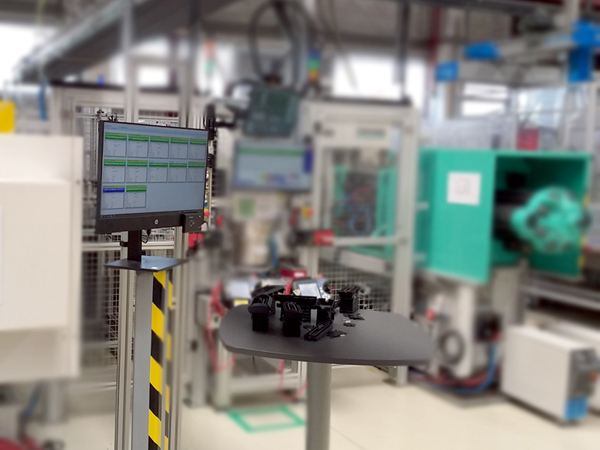
TouchPanel is used directly on the shop floor as the daily interface to IMES. It supports a paperless workflow and reduces the need for email / phone / walking.
- 📌 Always available at the line
- 📄 Documents accessible on demand
- 🧑🏭 Operator + setter + quality workflows
- 🛠 Maintenance and toolshop access
- 🗂 Traceability of actions
- ⚡ Faster reaction time

🧩 Machine Detail
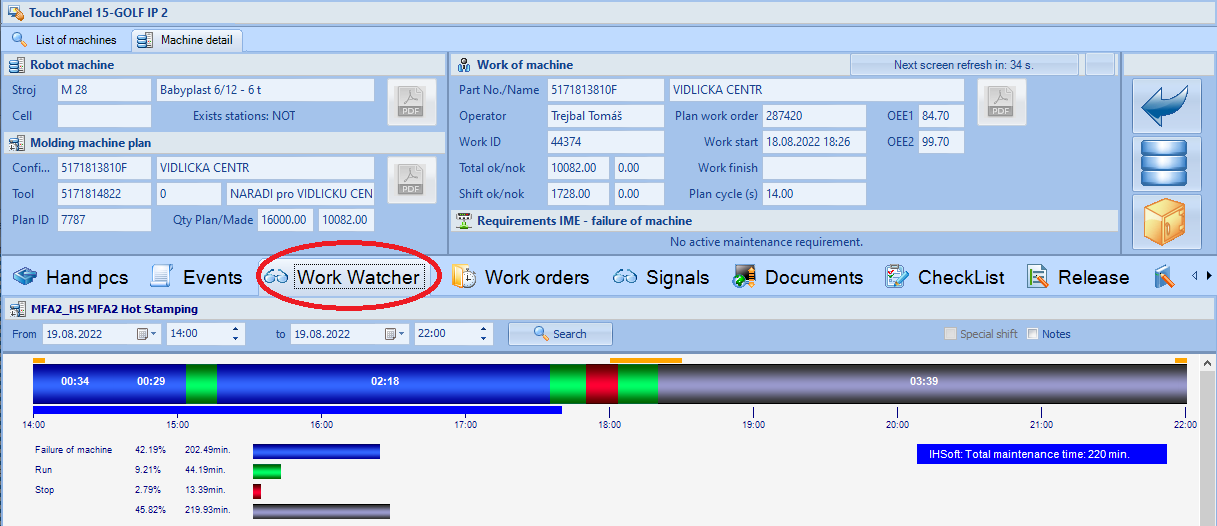
After selecting a machine, TouchPanel opens a complete machine workspace: work context in the header + functional tabs for daily production operations.
- 🗑 Scrap (manual defect types)
- 🗓 Events and stops
- 👁 Work Watcher timeline
- 🧰 Work Orders (toolshop / maintenance)
- 📡 PLC Signals (when available)
- 📄 Documents, Checklists, Release, LPA
⚙️ Configuration by IMES Admin
TouchPanels are configured centrally. Define panel identity, assign machines, and control which functions are enabled per site and division.
- 🏷 TouchPanel registry
- 🔗 Machine assignment
- 🧩 Feature enablement per customer needs
- 📷 Optional panel photo / documentation
- 🔐 Controlled administration
- 🏭 Scalable across halls


